Apply Custom Business Logic with DB CRUD Event Listeners
Overview
WaveMaker's runtime framework publishes pre and post events for every database CRUD operation, letting you inject custom logic at the Java layer without modifying your UI code. This guide shows you how to implement a pre-create event listener on the Employee entity that calculates age from a birthdate and rejects any record where the employee is under 18 years old.
Prerequisites
Before you begin, make sure you have:
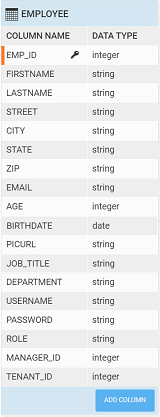
- The HRDB sample database imported and configured in your WaveMaker project
- The Employee table updated with a new integer column named
Age
Step 1 — Create the Java Service
- In WaveMaker Studio, navigate to File Explorer → Java Services and click + New Java Service.
- Name the service
AgeCalculatorand set the package tocom.employeeproject.agecalculator. - Replace the generated class body with the implementation below:
package com.employeeproject.agecalculator;

import java.sql.Date;
import java.time.Period;
import java.time.LocalDate;

import org.slf4j.Logger;
import org.slf4j.LoggerFactory;

import com.wavemaker.runtime.service.annotations.ExposeToClient;
import org.springframework.context.event.EventListener;

import com.employeeproject.employeedb.Employee;

import com.wavemaker.commons.WMRuntimeException;
import com.wavemaker.runtime.data.event.EntityPreCreateEvent;
import com.wavemaker.commons.MessageResource;

@ExposeToClient
public class AgeCalculator {

    private static final Logger logger = LoggerFactory.getLogger(AgeCalculator.class);

    @EventListener
    public void beforeEmployeeCreate(EntityPreCreateEvent<Employee> entityPreCreateEvent) {
        Employee employee = entityPreCreateEvent.getEntity();

        final Date sqlDate = employee.getBirthdate();
        logger.info("Inside [EntityPreCreateEvent], birthdate {}", sqlDate);

        Period period = Period.between(sqlDate.toLocalDate(), LocalDate.now());
        logger.info("Current Age : {}", period.getYears());

        if (period.getYears() < 18) {
            throw new WMRuntimeException(
                MessageResource.create("Error! Age is less than 18 years!")
            );
        } else {
            employee.setAge(period.getYears());
        }
    }
}
The @EventListener annotation registers beforeEmployeeCreate with Spring's event system. WaveMaker fires EntityPreCreateEvent<Employee> automatically before any new Employee row is inserted — no additional wiring is required.
- Save the file. WaveMaker compiles the service and registers it in the application context.
Step 2 — Set Up the Live Form
- Open the page where you want employees to be created.
- From the Widgets panel, drag a Live Form widget onto the canvas.
- In the Properties panel, bind the Live Form's dataset to the Employee CRUD variable.
- Ensure the Birthdate field is included in the form and mapped to the correct date-type column.
- Save the page.
Step 3 — Preview and Test
Run the application and navigate to the page with the Live Form.
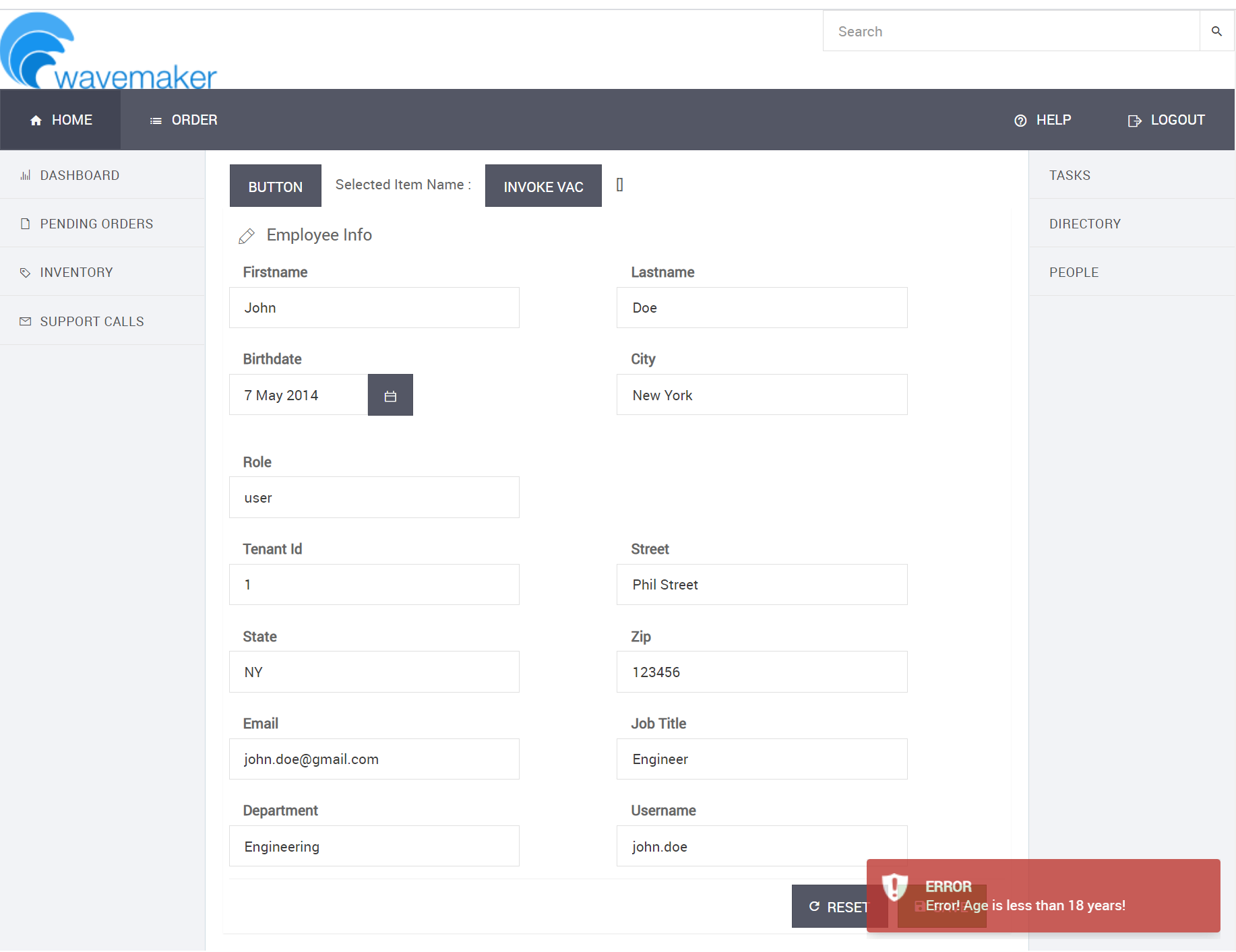
Scenario 1 — Employee under 18
- Enter a birthdate that results in an age below 18 years.
- Submit the form.
- Verify the error message is displayed: "Error! Age is less than 18 years!"
- Confirm no record was inserted in the Employee table.
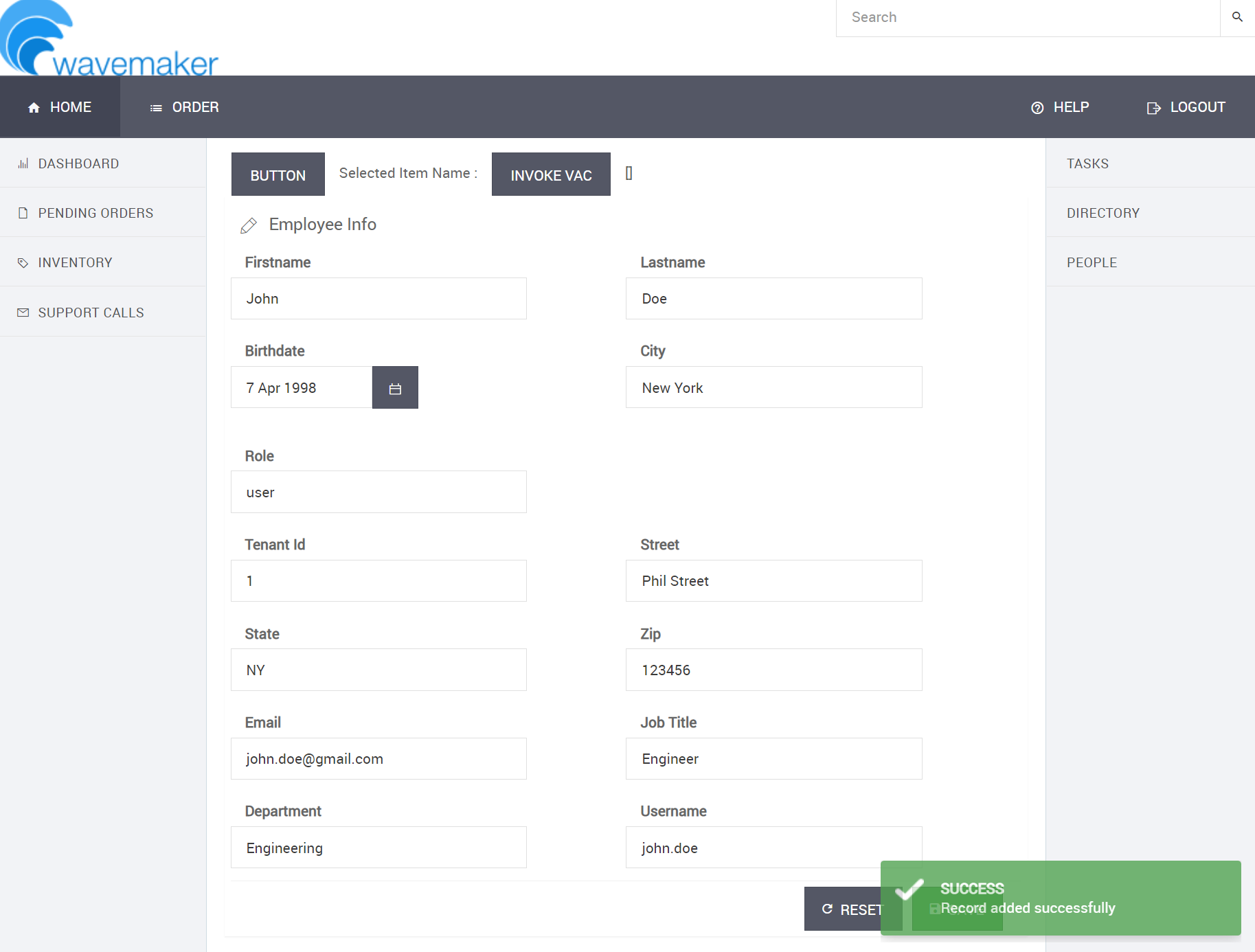
Scenario 2 — Employee 18 or older
- Enter a valid birthdate for an employee who is at least 18 years old.
- Submit the form.
- Verify the record is created successfully and the Age column is automatically populated with the calculated value.
Check the WaveMaker application logs to see the logger.info output from the event listener — useful for debugging birthdate parsing issues during development.