Building War from Studio
Overview
WaveMaker allows you to generate a WAR (Web Application Archive) directly from the Studio using the Project as WAR option. This approach is suitable when you want to package the application using the build configuration defined within the Studio.
Introduction
A WAR build packages the WaveMaker web application into a single deployable archive. The build process uses a selected configuration profile, which determines the build options and environment-specific settings applied during the build.
Generate WAR Using WaveMaker Studio
To generate a WAR file from the WaveMaker Studio:
- Open your application in WaveMaker Studio
- Click on Export Project
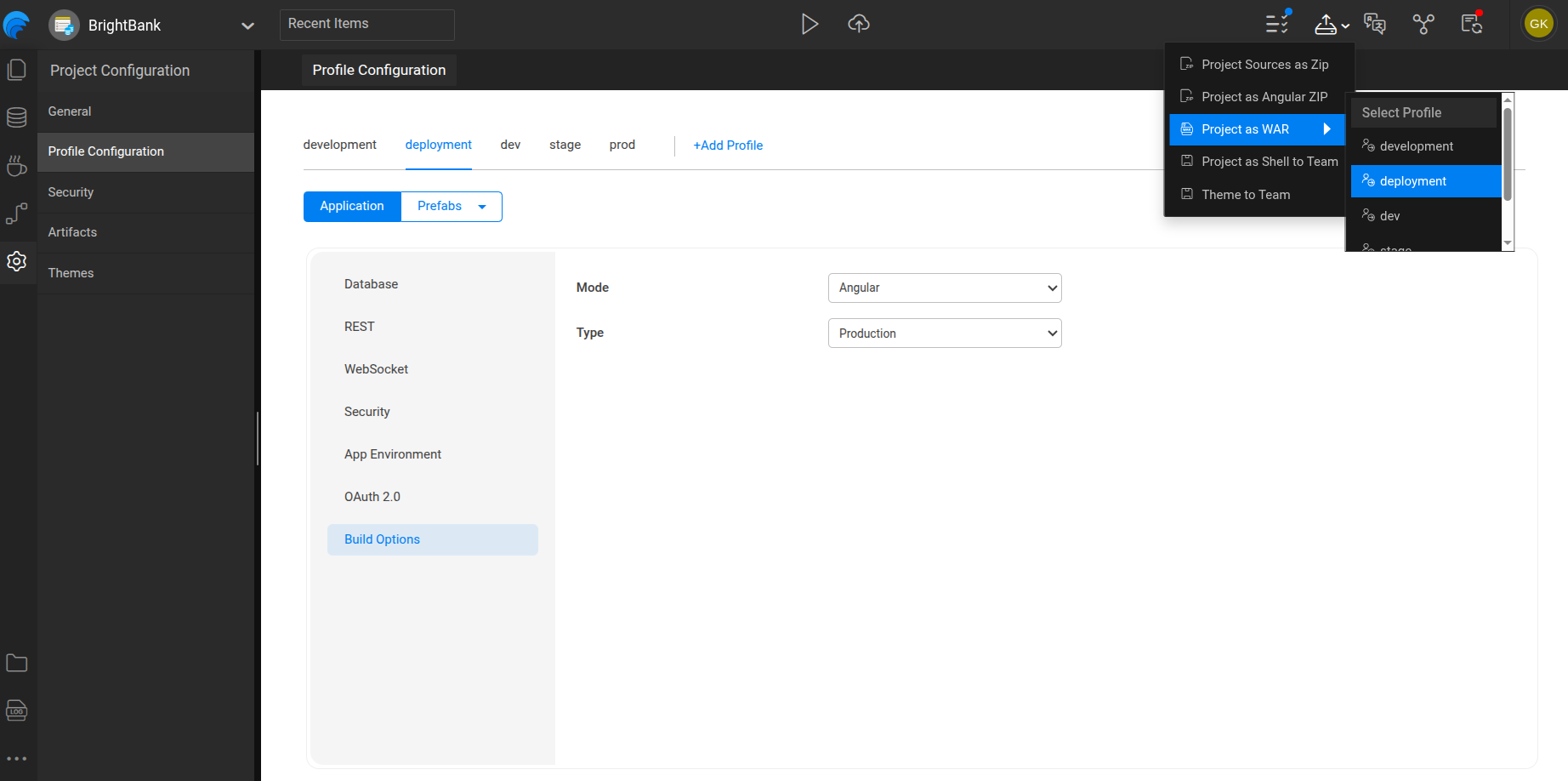
- Select Project as WAR
- Choose the required configuration profile (for example,
development,deployment, or a custom profile) - Start the export process
The WAR file is generated based on the selected profile and its configured build options.
Studio Reference
The following image shows the Project as WAR option and profile selection in WaveMaker Studio:
Output
The export process generates:
- A single
.warfile
Generate a WAR from studio
Understand how to generate a deployable WAR file from WaveMaker Studio.